

NetBeans
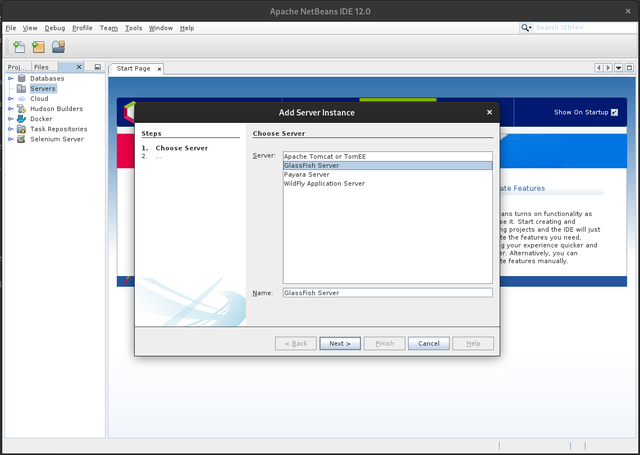
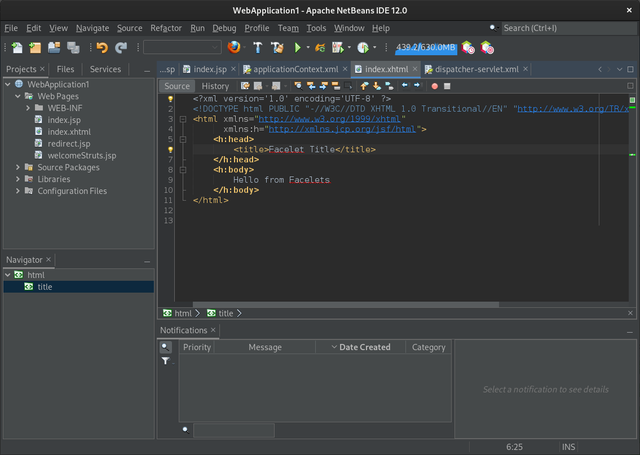
Our comprehensive review of NetBeans, the versatile Apache Java IDE for Linux. Discover its features, multi-language support, and development capabilities.
The Ultimate Solution for Complex Software Projects
Imagine sitting down to build a cross-platform application, only to realize your development environment requires dozens of disjointed plugins just to understand different languages. For developers working on Linux, finding a cohesive environment that manages everything from backend logic to frontend presentation can be a challenge. The NetBeans Apache Java IDE solves this problem by providing a robust, out-of-the-box system designed to streamline your entire software development lifecycle.
What is NetBeans?
Developed by the Apache Software Foundation, NetBeans is a highly regarded integrated development environment (IDE) built specifically to help creators build desktop, mobile, and web applications. While it is widely celebrated as a premier NetBeans Apache Java IDE, its capabilities extend far beyond a single language, making it a versatile hub for modern software engineering on Linux systems.
Multi-Language Support Out of the Box
One of the most compelling reasons to choose this IDE is its native support for a diverse technological stack. Instead of forcing you to configure external compilers and syntax highlighters, it comes ready to handle:
- Java: Comprehensive tooling for Java SE, EE, and ME development.
- Web Technologies: Seamless integration for JavaScript, HTML5, and CSS.
- Server-Side Scripting: Full-featured tooling for PHP development.
- System Programming: Robust support for C and C++ codebases.
Who Is This IDE For?
Whether you are a computer science student learning the ropes of object-oriented programming or an enterprise architect maintaining legacy systems, this environment scales to your needs. Its structured project views, built-in refactoring tools, and deep version control integration make it particularly well-suited for teams managing large-scale, multi-language codebases on Linux platforms.
A Smarter Way to Write Code
The NetBeans Apache Java IDE does more than just highlight your syntax. It actively assists you as you write, offering smart code completion, template generation, and real-time bug detection. By analyzing your active project structure, it helps "fit the pieces together," ensuring that your database connections, backend APIs, and user interfaces communicate flawlessly.
Get Started with NetBeans
If you are ready to elevate your development workflow on Linux, this powerful environment is an exceptional choice. To explore this tool further and set up your new workspace, head over to the official NetBeans page on Flathub to get started with your next project.